
Starlink and CGNAT Support is Here!
TL;DR
RadioPro Link gives you plug-and-play, secure public access connectivity over any internet connection, such as Starlink or T-Mobile.
- You pick a name (e.g., cti1-east) for your RadioPro Gateway(s).
- We ship you the preconfigured Gateway and provision your RadioPro Link Endpoint Address URL (cti1-east.rpsl1.net)
- You connect the gateway to the internet via ANY Internet Connection.
- You connect to the RadioPro Gateway & Radio using your Endpoint Address URL (cti1-east.rpsl1.net) instead of an IP Address in the address line of the clients (Talk App, Dispatch, ICU, Solo).
- Full Roam: If you have DHCP enabled, move it to another network, and it will work just the same. If you want your local IP to be static or don’t have DHCP, use the ICU to configure the local IP.
- That’s it, use it as usual!
Benefits compared to alternatives
- Optimized for Radio over IP
- Zero network setup and tech overhead (No Firewall, Router, Port mapping, or VPN config and Maintenance)
- Dedicated link infrastructure
- Single vendor support
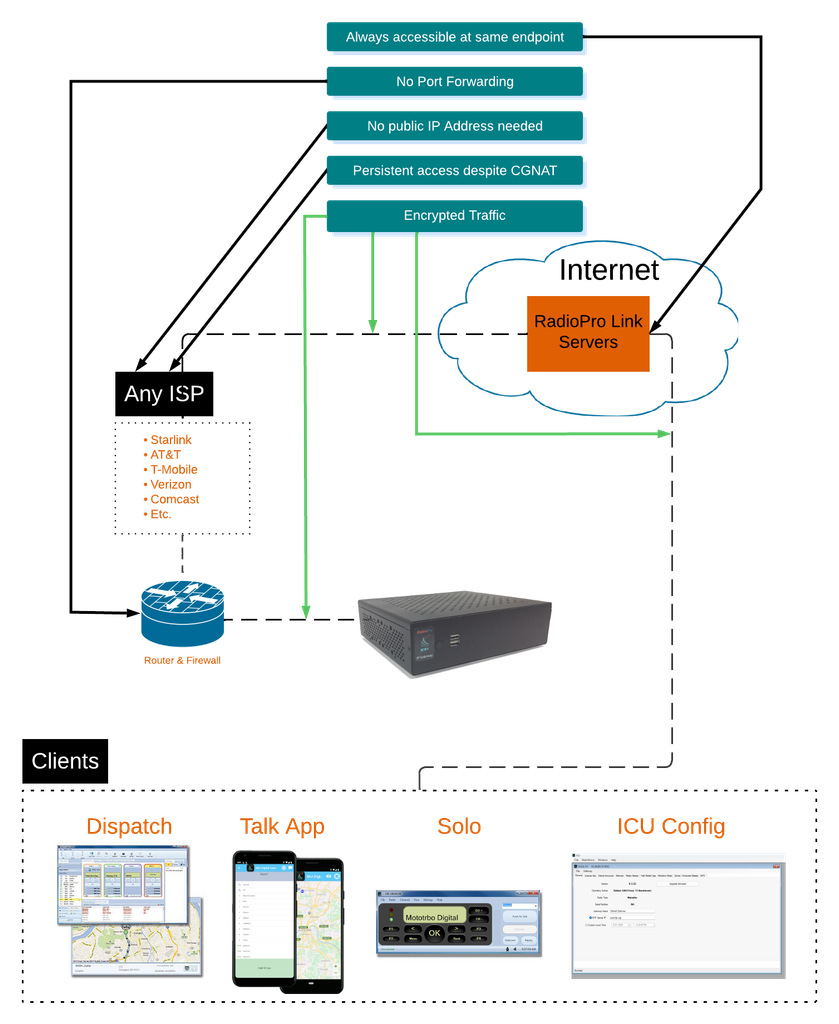
With the growing adoption of SpaceX’s Starlink satellite internet and other LEO satellite internet providers, whether necessitated by natural disaster, rural internet inaccessibility, or simply the desire for a backup internet provider, a major issue has become front and center. After switching over to Starlink, users have experienced a loss of ability to publicly expose their RadioPro Gateway servers with a public IP address. This means that users lose the ability to remotely connect to the Radio over IP network with RadioPro Dispatch, Solo, and the Talk mobile app. Additionally, customers lose the ability to remotely manage and configure the RadioPro Gateways with the ICU application. Starlink isn’t the only ISP (Internet Service Provider) with this issue, which is ultimately due to CGNAT (Carrier-Grade Network Address Translation). Many ISPs use CGNAT, some of which include Charter Spectrum, Comcast Xfinity, AT&T, Verizon, T-Mobile, and Bell Canada. The good news is that you can now reliably get around this CGNAT or port forwarding limitation with our new RadioPro Link service.
What is RadioPro Link, and how does it work?
RadioPro Link is a service that effectively gives your RadioPro Gateway a single public static address, no matter where it is connected to the internet. It is truly plug-and-play, and very rarely requires changes to your existing network, such as opening ports. No need to deal with port forwarding, VPN Configuration, or Internet Service Provider requests; it all just works. RadioPro Link allows you to get around Starlink’s CGNAT by ensuring that your RadioPro Gateway’s IP address is always known, even though in reality it is always changing in the case of CGNAT. The best part is that you only need to know a single URL, which never changes, and the work of keeping track of the RadioPro gateway is done behind the scenes by a server, specifically designed by our engineers for this application. Once established, the connection recovers automatically after network outages, reboots, and relocations. It is even full roaming; with DHCP enabled on the RadioPro GW, you can unplug the GW, take it to the other side of the planet, plug it in, and it will work just as before, with the same URL.
Why would I need to make changes to my network?
In the case of Starlink’s default routers, you definitely won’t need to make any changes. The same goes for the majority of networks. Some local networks may be very strict, which might require opening a single port to allow the traffic to flow, but this is rare and minimal. When using our RadioPro Link service, all traffic is tunneled over a single static port in the Ephemeral Range (49152 to 65535). That tunnel is dedicated to your Gateway alone, and your traffic is encrypted every step of the way between your clients and the Gateway.
Does it really work over any internet connection?
There are many scenarios to test, but yes, it will work over any internet connection, within reason. Attempting real-time communication over Geostationary Satellites would work; however, delays would be quite noticeable as the latency is very high (approx. 500-600ms). This is very high compared to Starlink’s 20-50ms, Fiber Optic’s 1-7ms, or cable broadband’s 11-27ms. That being said, Geostationary Satellite internet may still be a viable option if your only goal is to remotely configure the RadioPro Gateway. Mobile Hotspots also provide a decent connection, but latency and speed vary by location and physical motion. With satellite and mobile networks, it is important to understand the additional considerations as opposed to wired internet. Some of these considerations are coverage area, obstructions, and possibly data limits.
What ISPs and Connection Types have we tested?
Starlink
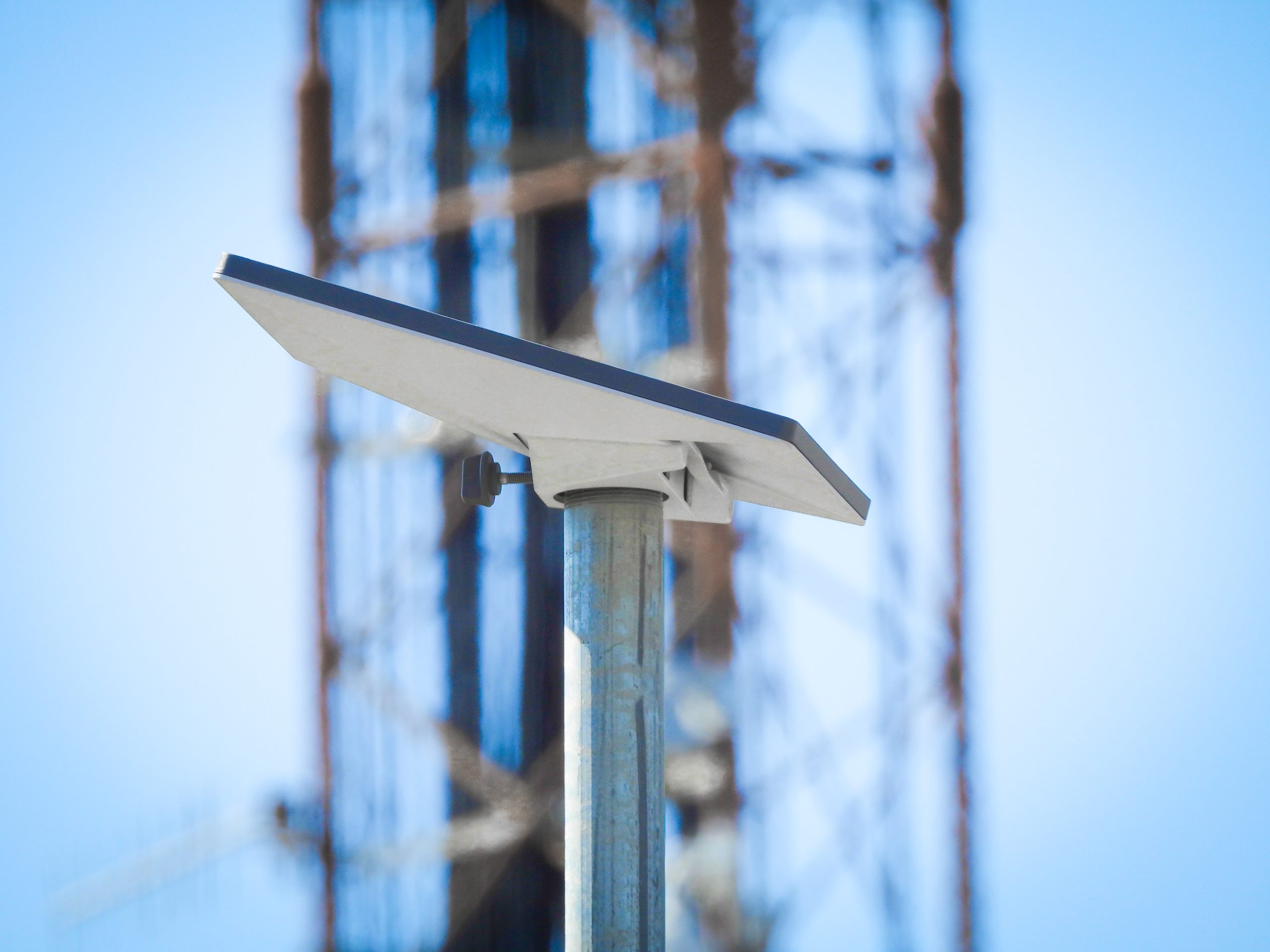
We have extensively tested RadioPro Link over the Starlink Mini on the Roam Plan. The purpose of choosing this particular configuration is that it is the least capable of Starlink’s options. The majority of testing so far with this configuration has been in a location that does indeed have some obstructions (a 750-foot radio Tower and guy wires). These obstructions, as expected, do produce some occasional interruptions; however, this provides a good opportunity to prove the persistence of the RadioPro Link connection and demonstrates the importance of verifying proper satellite placement. The Starlink Mini speeds and latency were plenty sufficient for RoIP traffic, so other Starlink options should perform as well or better, with fewer interruptions from obstructions.
Field test results, Starlink Mini on the Roam plan (September 2026). Latency was measured end-to-end through RadioPro Link, from a client on wired office internet to the RadioPro Gateway on Starlink:
| Condition | Audio delay, one-way (typical) | Round trip (typical) | Round trip, 95% of the time under | Round trip, 99% of the time under | Connection outage time |
| Stationary | 32 ms | 64 ms | 87 ms | 112 ms | None |
| In motion, highway | 32 ms | 64 ms | 87 ms | 135 ms | None |
| In motion, town | 34 ms | 68 ms | 101 ms | 189 ms | 1.4% of the time* |
| Reference: Gateway on wired internet, also through RadioPro Link | 24 ms | 49 ms | 50 ms | 57 ms | None |
Audio delay is the time for audio to travel one-way between the client and the Gateway. Round trip is there and back, and is comparable to the ping times internet providers quote.
*Outages in town were brief (5 to 10 seconds each), most likely from buildings and trees blocking the dish’s view of the sky. The RadioPro Link connection recovered automatically every time.
Verizon 4G LTE MiFi
Using a WiFi-to-Ethernet adapter, we have tested basic RadioPro Dispatch functionality connected to a GW residing on a Verizon MiFi network with an 80% signal strength from Verizon. There was no noticeable added latency to the audio transmissions.
We have not yet tested this type of connection in motion and with lower signal strength, as well as testing with maximum client connections.
Alta Fiber
The internet provided by Alta Fiber is an excellent quality connection and doesn’t require any workarounds for port forwarding, CGNAT, or Public IP unavailability. However, using RadioPro Link drastically simplifies the deployment of a new RadioPro system and ensures that your gateway is ready for backup Internet scenarios.
What is CGNAT, and why is it a problem?
CGNAT in the majority of use cases is, in fact, no problem at all. However, the issue arises when you need to reliably serve data out to the internet as opposed to simply consuming data. CGNAT is a technology that has been necessitated by the limited amount of available IPv4 addresses; far too few for the number of internet-capable devices in existence to have their own unique IP addresses. More on CGNAT here…
Use cases
Although you may not be limited by CGNAT, you may still be resource-limited as far as network hardware, networking personnel, or time. In any case, you may not have the means to set up and configure your network infrastructure and security to safely expose your RadioPro GW server to the Public Internet. RadioPro Link provides an easy method to accomplish this in a safe and secure manner, while avoiding modifications to your existing network.
-Natural Disaster & Recovery
-Rural access
-Remote management; save travel time
-Simplified Setup
-Internet Provider Agnostic System
-Starlink backup internet-ready
-Mobile Base Stations
We’ll ship your Gateway preconfigured with your address.